Friday, January 2, 2015

How to enable Hyper-V on a VM running on VMware Player

Shut down the virtual machine.

Enable VT-x/EPT in your virtual machine.

Modify the vmx file associated with the virtual machine. (Should be inside VM folder.) Add the following lines to the end of the VMX file.

  • hypervisor.cpuid.v0 = “FALSE”
  • mce.enable = “TRUE”

Power up the virtual machine.

Enable remote management on a Server Core installation

Open a Command Prompt and run below commands. It will enable emote management.

netsh advfirewall firewall set rule group="Windows Management Instrumentation (WMI)" new enable=yes

netsh advfirewall firewall set rule group="remote event log management" new enable=yes

Sunday, February 16, 2014

Swift HT51S Service

So the Swift went for a service. 85K+ on the reading time to fresh up with new oil and filters. First with engine oil. Drained existing oil and top up with Mobil Super 1000. Why chosen a multigrade? Simply because I wanted to change oil after another 5K which if I chosen full synthetic need to wait till 10K line. Whole 4L put in to the engine.

20140215_072818

Next for filters. Chosen VIC as it was recommended by most as well as the service center guys.

20140215_072833   20140215_073202

In HT51S it seems the fuel filter is inside fuel tank and can’t replace the unit only. Need to check with agents and get it changed. After that went for brake pad check. It seems there’s a little stiffness in rear right wheel. Need to take to a garage and get it checked.

As there’s no any serious issue at the moment went to garage to check the rear wheel. It seems the razor is not functioning properly and need to replace. So bought a NSK razor and got it fixed from ‘pattalaya’. Smile The handbrake liner was also little stiff. Cleaned that also with oil and fixed. Took a little time as we can’t use petrol to speed up the process as it damage protective plastic cover. 

20140215_135855    20140215_141316

Coolant level was little low. So top up it with a mixable coolant. (If we have existing coolant or water we can’t use coolant that can’t mix and use.) After that cleaned the air filter duct using ABRO Carb and Choke cleaner. After everything is done went for a test run. Wow it feels more power added to engine now. Smile

That’s it for now. Need to replace front shocks on next free time. Will post the details them. See ya.

Monday, December 16, 2013

the OtterBox story….

Once you get a new gadget you need to protect it (at least for a couple of months). :) That’s why when I got my Galaxy S3 LTE (GT-I9305) I ordered this nifty hard cover OtterBox Defender series for Galaxy S3.

1-DSC05056

It has a screen protector, polycarbonate inner layer and a silicone outer layer. (Need to mention 4th element the belt-clip holster / stand which I wont use.) So why this particular case? Simple it provides protection against drops, bumps and shocks which happens frequently and my old mobile knows about them. Also it’s inner layer covers USB and earphone ports and prevents getting dust inside. Below is some shots taken before fixing the cover.

2-DSC05058    3-DSC05060

Once the cover been fixed (took around 2-3 minutes, depends on how well you can understand graphic illustrations) side by side with big brother S4 in Commuter series cover.

4-DSC05062

Here’s the back side view of them both.

5-DSC05064

Not forgetting my old partner in crime the ACE.

6-DSC05066

That’s all for now. Need to play with the gadget and see how well it can take my cruelty. :) Will update the results soon.

Tuesday, August 6, 2013

New SUNshine @ UML

Unboxing of newly arrived Sun Spark T4-1, T4-2 servers and StorageTek tape drive.

2013-08-05 16.14.02

2013-08-05 16.14.12

2013-08-05 16.17.03

2013-08-05 16.17.14

2013-08-05 16.27.52

2013-08-05 16.27.292013-08-05 17.28.20

2013-08-05 17.28.37

Windows 8 and 2012

Ok I was little late this time. But testing is going on. And the results will be posted pretty soon. Smile

Tuesday, November 13, 2012

Office 2013 hands on

This is the hands on review on Office 2013. Testes is Professional Plus preview version with Word, Excel, PowerPoint, Outlook, Access, InfoPath, Lync, One Note and Publisher. installation is the same as Office 2010 with only graphical interface changes which is now more boring.

instalaltion

Installation didn’t take much time (which is an upgrade to my 2010) and everything went smoothly without any issue. Start menu entries are also same as before.

start menu

Don’t laugh now. As everybody does me also try Word as soon as I install any Office version. Smile Logo is pretty much boring but I felt that it loaded pretty much faster than 2010.

loading

On the first run you’ll be prompted about the new changes done in the package. There’re further option where you can learn more about it, which I skipped just to take a look at new interface.
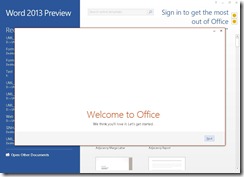
first run1

Another important thing which I can’t skip and go is 2013 version is mainly targeted d at online collaboration. Using a Live ID and Office 2013, you can work on the same document from anywhere in the world. Microsoft was kind enough to add SkyDrive integration to the maximum level which provides far more benefits and flexibility.

first run2

Here comes the application. Wait… what??? Is this for real what I’m seeing? Is this Office 2003 installation relabeled as 2013? Nope you’re wrong. This is 2013 alright with new interface and flatter buttons. Why? because Windows 8 support (and recommends) touch screens and this is it’s companion. Remember Metro style? But we don’t need to worry about that too much because layout is pretty much the same (or I couldn’t find any differences yet) so virtually no learning curve at all.

word

Ok for Outlook there’re some changes in layout but is very easy to find and get used to.
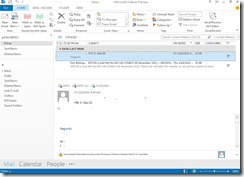
outlook

Didn’t tested PowerPoint and Excel much but at a glance they’re pretty much the same.

powerpoint

excel

I’m not a fan of Access but it’s there and that’s it.
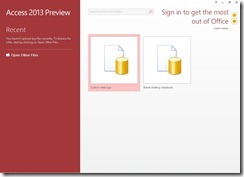
access

All the icons are changed to match the new Metro style.

icons

That’s it for now. I’ll update the post once I get more hands on the application.

Thursday, October 25, 2012

Windows 7–Increase shared folder access speed

Open a CMD and type below.

netsh int tcp set heuristics disabled

netsh interface tcp set global autotuninglevel=disabled

Reboot the system. This will significantly increase the shared folder access speed in Windows 7 client PCs.

Device of the day

Smile

2012-10-24 10.55.39

Getting started with DevOps

A good read https://medium.com/@devfire/how-to-become-a-devops-engineer-in-six-months-or-less-366097df7737 *** Disclaimer! This post is ...